Why Claude Keeps Giving You Generic Output (And the One Fix That Changes Everything)
Why Claude Keeps Giving You Generic Output
You opened Claude with a real question. You typed it in, hit send, and got back something that sounded like it could have been written for anyone. A competent answer. A polished answer. An answer that had nothing specific to do with your business.
So you tried again. Added a bit more detail. Got a slightly better answer. Still not quite right. Still not yours.
This is the most common frustration I hear from coaches and consultants who are trying to use Claude to run their business. And it almost never has anything to do with the tool itself.
The Real Reason You Are Getting Generic Output
Claude is trained to be useful to everyone. Left to its defaults, it writes for the average person asking the average question. That is not a flaw. That is exactly what it is designed to do.
The flaw is assuming Claude knows you are not average when you have never told it anything specific about you.
Think about it this way. If you hired a new team member and on their first day handed them a task with no briefing, no context about your business, no explanation of who your clients are or what your voice sounds like, you would not be surprised when their first draft missed the mark. You would not blame them. You would brief them.
Claude needs the same thing. The difference is that most people never give it that briefing. They open a new chat, type a request, get a generic response, and then blame the AI.
What Generic Output Actually Signals
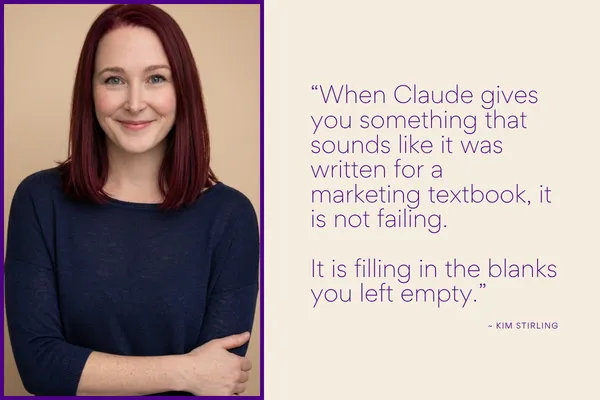
When Claude gives you something that sounds like it was written for a marketing textbook, it is not failing. It is filling in the blanks you left empty.
Every piece of missing context becomes a gap Claude fills with assumptions. The most statistically average assumptions it can make about someone who asked your question. Your industry, your voice, your audience, your offer, your goals, your constraints. If Claude does not know any of those things, it guesses. And its guesses are generic by design.
The solution is not better prompts. It is better context. There is a meaningful difference between the two.
A prompt is what you ask Claude to do. Context is everything Claude needs to know before it does it. Most people spend all their energy on the prompt and none on the context. That is backwards.
The Fix: Front-Load Your Business Before You Ask Anything
The single most effective thing you can do to improve Claude’s output is to introduce your business before you make any request.
That means telling Claude who you are, who you serve, what you offer, what your voice sounds like, what you would never say, and what success looks like in your specific context. Not once, at the start of a session. Embedded into the environment so it is there every time, automatically.
Claude has a feature called Projects that makes this possible. You build a project once, load your business context into it, and every conversation you have inside that project starts with Claude already knowing the foundation. No re-explaining. No starting from zero. No generic output on the first try.
The free version of this fix is a Know My Business prompt. It is a structured document you create once that captures everything Claude needs to know about your business. You paste it at the start of a session, and suddenly the outputs are specific, on-brand, and useful from the first message.
What Changes When Claude Actually Knows Your Business
The difference is immediate and measurable. Instead of spending fifteen minutes editing a caption into something that sounds like you, it sounds like you on the first draft. Instead of explaining your offer from scratch every time, Claude builds on what it already knows.
The editing time drops. The back-and-forth drops. The frustration drops.
That is not because Claude suddenly got smarter. The model is the same. What changed is the input. And the quality of your inputs determines the quality of everything that comes out.
If you have been getting generic output from Claude, it is not a sign the tool does not work for your business. It is a sign the tool does not know your business yet. That is fixable. It takes one session to set up. And once it is built, you do not have to do it again.
Fix it for free: grab the Know My Business prompt at kimstirling.com/knowmybusinessai
